 BankSheet
Bank statements to Excel and Tally vouchers, scanned ones too
BankSheet reads Indian bank-statement PDFs (digital, password-protected or scanned), checks the running balance on every row, and turns narrations into Tally vouchers using your ledger rules. It works offline on your Windows PC, so client statements are never uploaded anywhere.
The parts of statement work that eat your afternoon
Scanned statements too
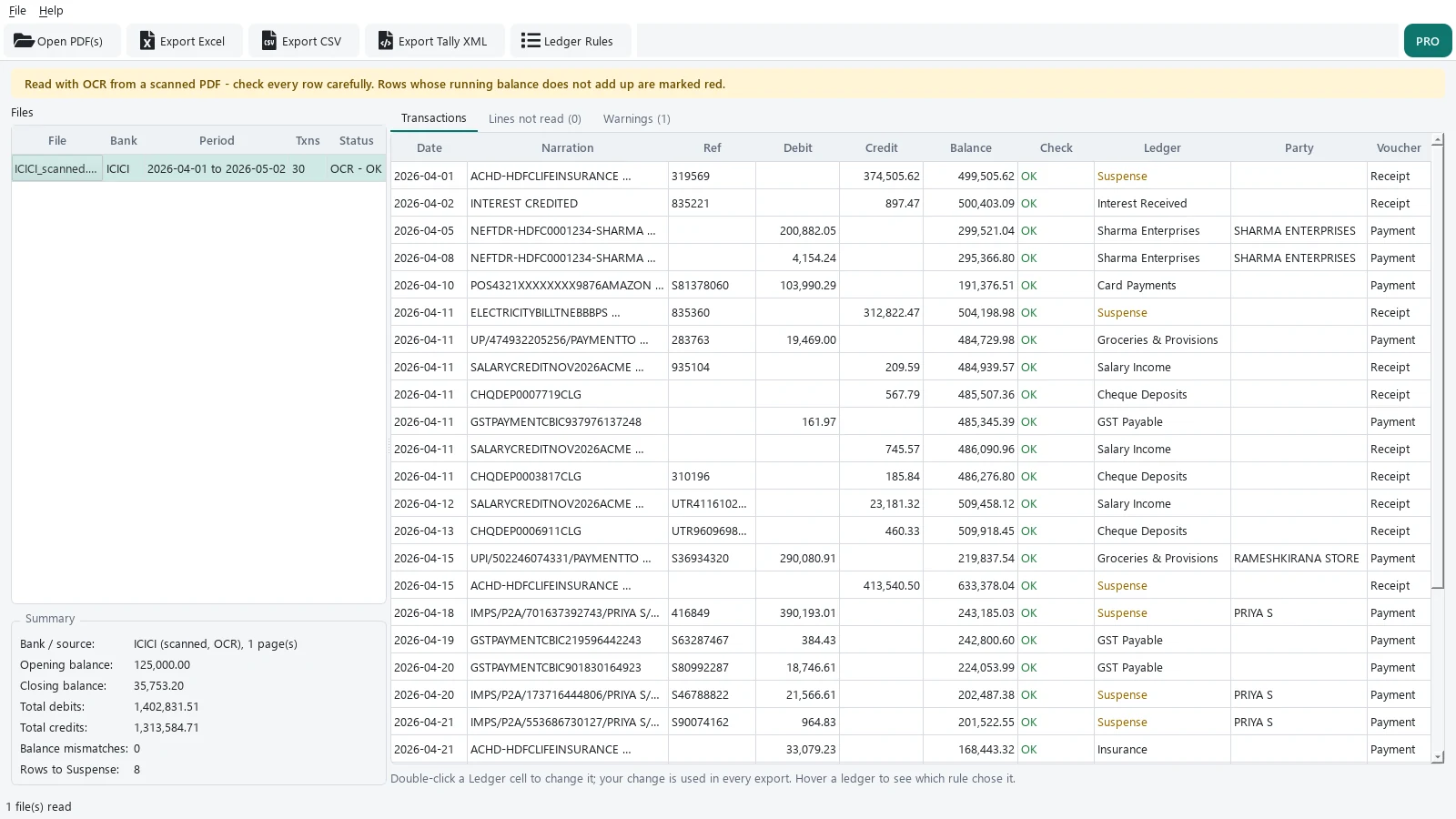
Photocopied or scanned PDFs are read with on-device OCR and go through the same table reader as digital PDFs. Results from OCR are always marked "check carefully", because OCR can misread a digit.
Running-balance check on every row
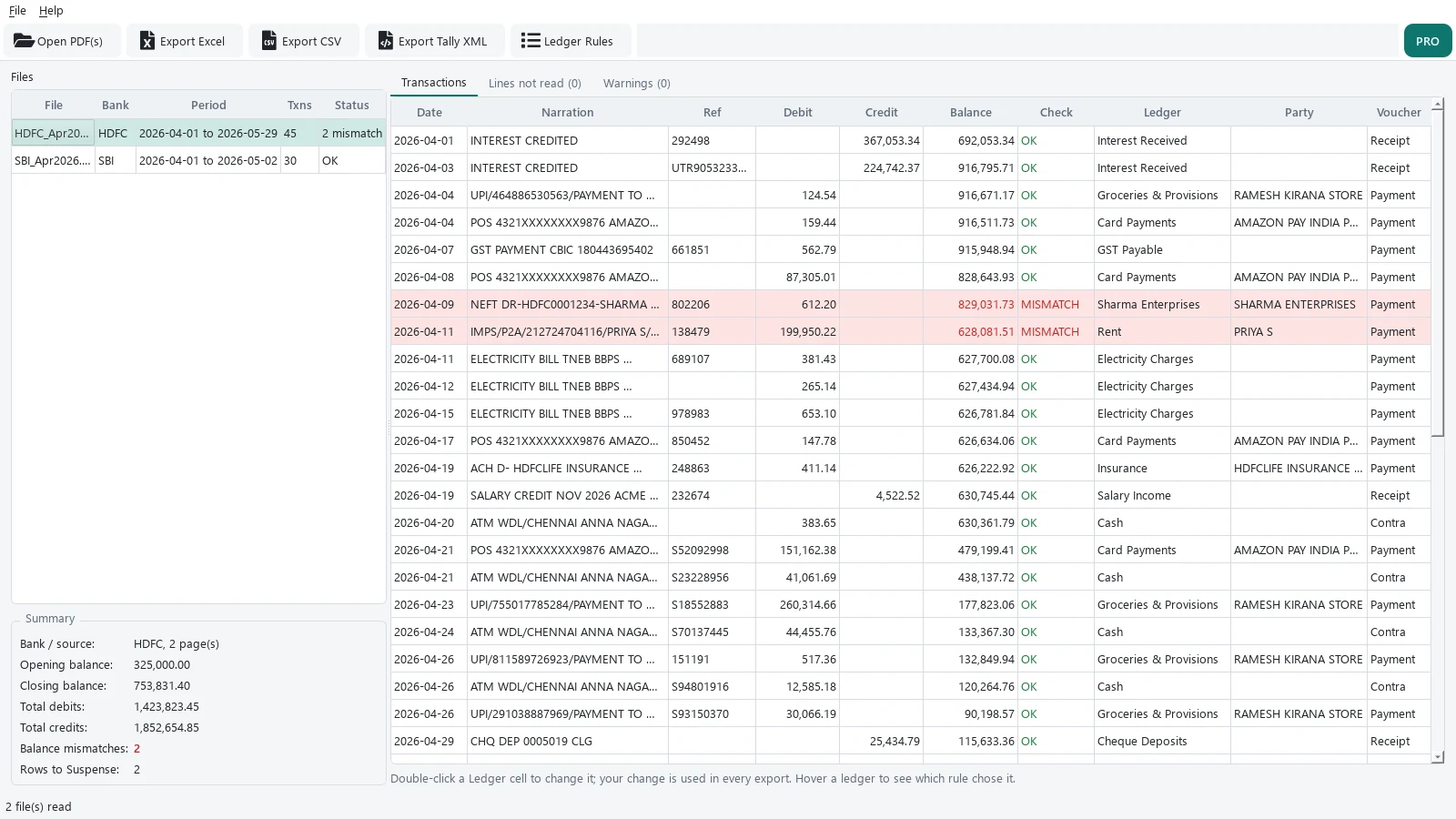
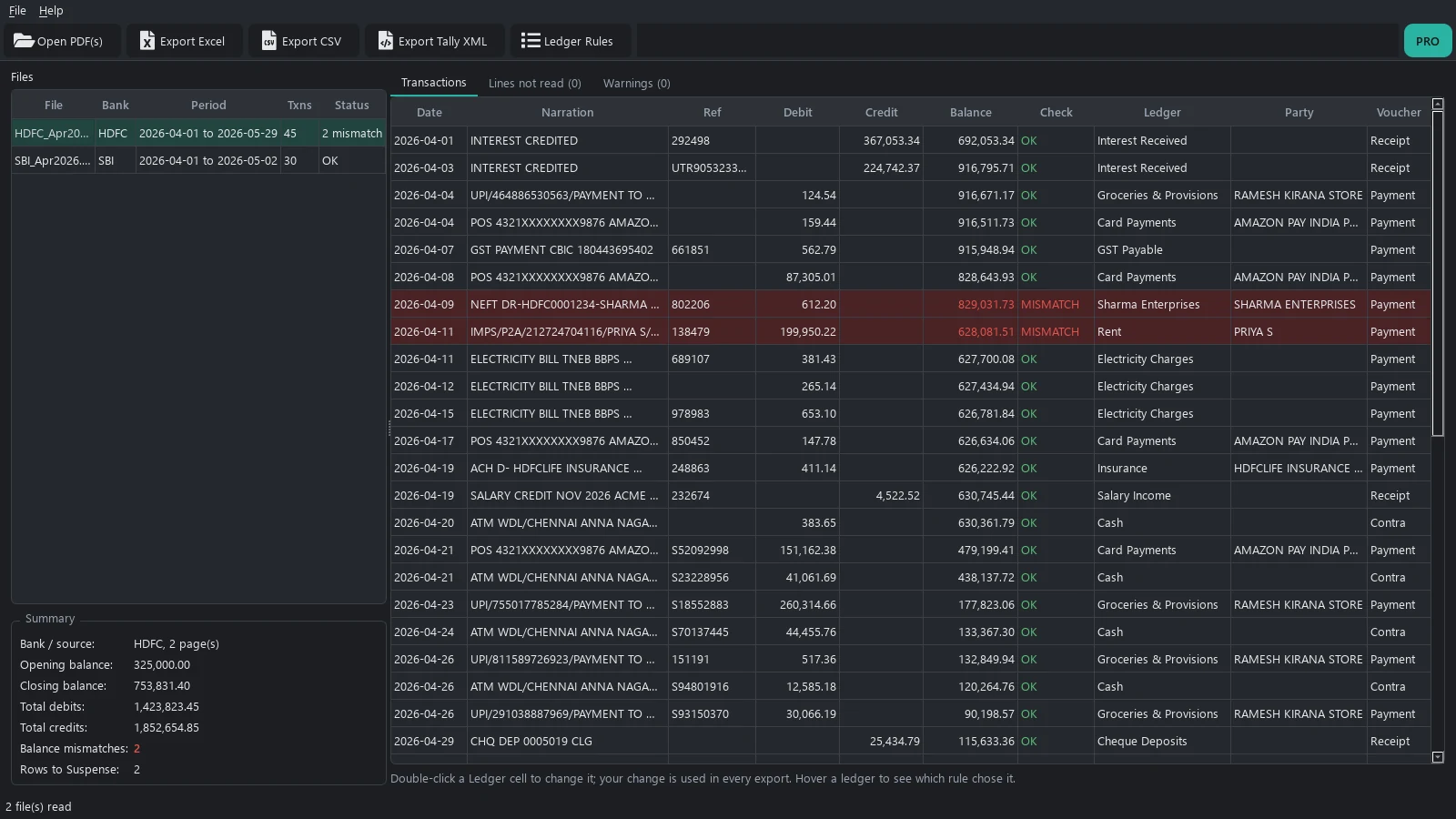
Each row is checked: previous balance plus credit minus debit must equal the printed balance. Rows that don't add up are shown in red before you export, so a misread amount doesn't slip into your books.
Narration to ledger, with your rules
Built-in rules cover UPI, NEFT/RTGS/IMPS, ATM and cash, bank and SMS charges, interest, GST, TDS, EMI, rent, insurance, card spends and cheque deposits. Add your own keyword or regex rules on top. Party names are pulled out of UPI and NEFT narrations.
Tally vouchers, not just a spreadsheet
Exports Payment, Receipt and Contra vouchers as Tally XML. Transfers between the client's own accounts become Contra entries. Anything no rule matches goes to Suspense, so nothing is posted to a guessed ledger.
Password-protected PDFs
Type the statement password when asked. The file is decrypted in memory; the password and the decrypted PDF are never saved.
Your client's data stays on your PC
No account, no upload, no cloud. The app makes no network connections, and nothing is written to disk until you export.
What we have measured, and what we haven't
We tested BankSheet on synthetic statements in 8 layouts styled on SBI, HDFC, ICICI, Axis, Kotak, PNB, IDFC FIRST and Bank of Baroda. Each was printed to images at 200 DPI, tilted 1 to 2 degrees, blurred, given scanner noise and saved as an image-only PDF. In our latest run on fresh scans, all 480 rows across the 8 layouts came out with the right date, debit, credit and balance. Earlier runs missed up to 3 rows in 40 on some layouts; when OCR misreads a figure, the balance check marks that row red. Real scans of real statements are messier than our test files, and we have not yet measured a large set of them. Check OCR results before you post them.
Try it free on real statements
The free version has no row limit. Convert two full statements a month and see how it handles your clients' banks.
Free
Try it on real work
- 2 statements per calendar month, any length
- Digital, password-protected and scanned PDFs
- Excel and CSV with the balance check
Pro yearly
1 PC, renews yearly
- Unlimited statements
- Tally XML vouchers
- Ledger rules and party names in exports
- Whole folders in one go
- Email support
Pro lifetime
1 PC, pay once
- Everything in Pro yearly
- Pay once, no renewal
Prices shown in Indian rupees. Show US$ pricesPrices shown in US dollars. Show Indian prices (₹)
Your licence key is emailed after payment and is checked on your PC, offline. 7-day refund if it doesn't work for your statements.
Questions
Is it 100% accurate?
No converter is, and we don't claim it. What BankSheet does is check every row against the printed running balance and show the rows that don't add up in red, so you know exactly where to look. Scanned statements are always marked "check carefully".
Which banks does it support?
BankSheet finds the table by its column headings (Date, Narration, Withdrawal, Deposit, Balance and their usual variants) rather than by bank, so most statements with a normal transaction table work. Our tests use synthetic statements styled on SBI, HDFC, ICICI, Axis, Kotak, PNB, IDFC FIRST and Bank of Baroda. If one of your statements doesn't read correctly, email us and we'll look at it.
How do the Tally vouchers work?
Export Tally XML, then in Tally Prime use Import > Transactions and pick the file. Each bank debit becomes a Payment voucher, each credit a Receipt, and transfers to cash or the client's own accounts a Contra. The file also creates the standard ledgers it uses (Suspense, Bank Charges, Cash and so on) if they're missing. Ledgers from your own rules must already exist in Tally. Try it on a test company first.
How long does a scanned statement take?
OCR runs on your PC, so it depends on the computer. On our test laptop a scanned page took roughly 5 to 15 seconds when the machine was otherwise idle, and longer when it was busy. Digital PDFs take well under a second per page.
What counts as a statement in the free version?
Each different statement you export counts once, whatever its length. Exporting the same statement again (say, CSV after Excel) doesn't count again. The count resets on the 1st of every month and is kept on your PC.
Does it need the internet or an account?
No. BankSheet makes no network connections and needs no account. Licence keys are checked on your PC.
Which systems does it run on?
Windows 10 and 11, 64-bit.